

If this is your first time with us, we know it can feel a bit challenging — which is exactly why we created this guide on How to Navigate the 4Less Auctions Catalog with confidence. When you enter the 4Less Auctions – November Liquidation Sale catalog on Proxibid, you’re stepping into hundreds of deals—tools, electronics, home goods, pallets, and more. With so many items available, knowing how to search, sort, and save your favorites can make the entire experience easier and help you spot the best opportunities inside our auction catalog.
How to Navigate the 4Less Auctions Catalog
1. Use the Search Bar to Find Specific Items
If you already know what you’re looking for—like “tool set,” “electronics,” or “pallet”—the search bar at the top of our auction catalog is the fastest way to jump straight to relevant lots.
Tips:
- Use simple keywords (e.g., “speaker,” “vacuum,” “power tool”).
- Try multiple variations if you don’t see results right away.
- Results will only pull from our November Liquidation Sale catalog, making them accurate and easy to browse.
2. Sort Lots to Browse More Efficiently
Sorting helps you organize the catalog in a way that fits your bidding style. Inside our 4Less Auctions catalog, you can sort by:
- • Ending Soonest: Perfect if you want to catch deals that are closing soon.
- • Newly Listed: Great for spotting fresh inventory added to the sale.
- • Price (Low to High): If you’re hunting for budget-friendly finds, this is the quickest way to uncover the lowest starting bids.
- • Price (High to Low): Useful for locating higher-value or premium items with fewer clicks.
Sorting helps you move through the auction faster so you never miss opportunities.
3. Use Filters to Narrow Down the Catalog
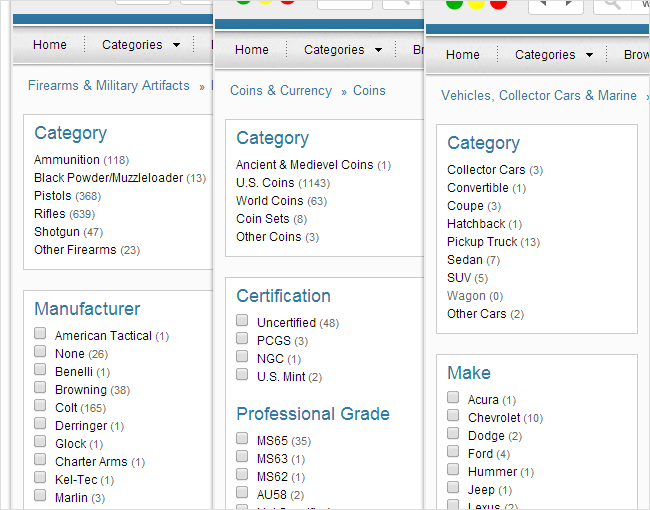
Filters make it easier to focus on what matters to you. Inside our auction, you can filter lots based on category, helping you jump directly into the product types you’re interested in. Categories may include:
- Tools
- Electronics
- Home Goods
- Furniture
- Mixed Lots / Pallets
- General Merchandise
Choose one category or explore several—filters update the catalog instantly so you can browse with precision.
4. Save Your Favorite Lots for Easy Access
If you see something you love—or want to keep an eye on—you can save it.
How to Save a Lot
Click the heart icon next to the lot. Once saved, you can:
- Revisit your list anytime
- Track bidding activity
- Avoid losing items in a long catalog
- Quickly compare similar products
Favorites are especially useful when our catalog has hundreds of items and you want to organize your bidding plan.
5. Discover Hidden Opportunities
Some of the best deals are the ones most people overlook. Here’s how to uncover those opportunities:
- • Look for lots with fewer bids: These often fly under the radar and can sell at excellent prices.
- • Sort by Low to High Price: Helps you catch undervalued items fast.
- • Check newly listed lots: New additions can be less competitive early on.
- • Explore categories you normally wouldn’t
You might find bundles, mixed lots, or high-value items sitting in broader categories. A few minutes of exploration can lead to savings that most buyers miss.
6. Move Through the Catalog With Confidence
Our goal with each 4Less Auctions event is to make your bidding experience simple, transparent, and rewarding. By using search, filters, sorting, and your favorites list, you’ll navigate the November Liquidation Sale like a pro—and increase your chances of grabbing incredible deals. Browse our catalog here